Sweechle
- Sweechle
- Product
- Engineering managers
- Users
- 4 days
- Timeline
- Just me
- Team
Project Overview
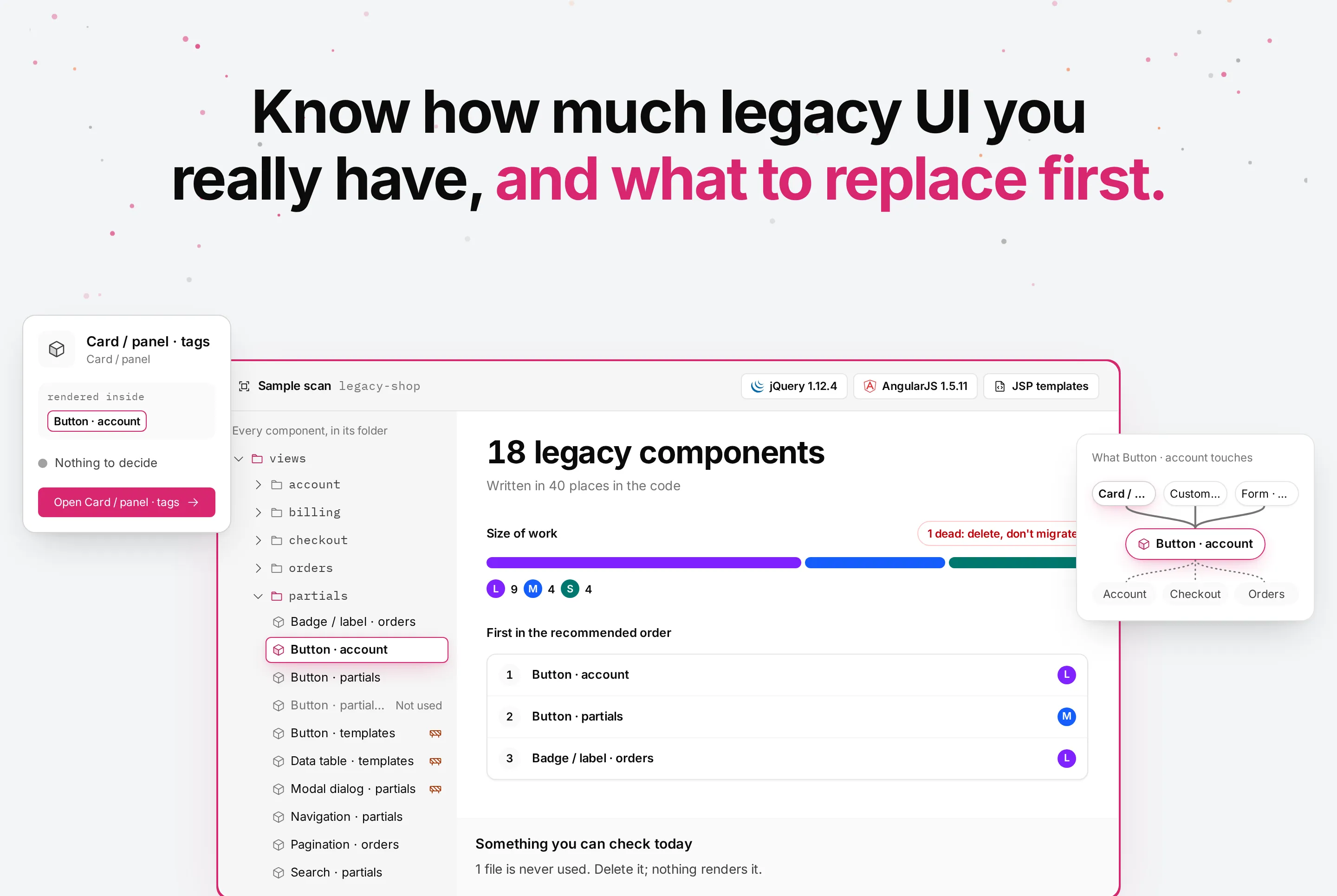
Sweechle connects to a repository, finds every piece of legacy UI (jQuery, AngularJS, JSP and other server templates), groups the copies of each component, sizes the work and recommends an order. It is read-only: it never writes to the customer's code. I designed and built it on my own, from the product thesis to the scanner and the interface.
Designer and builder
I owned the product end to end: research, product decisions, interface and the working code, built with AI coding tools from Figma to the IDE.
Everyone wants the legacy code gone, nobody knows where to start
In job interviews with engineering leads, the same pain came up again and again: large companies carry years of legacy front-end code and can't stop shipping to replace it. Nobody knows how much there is, which pieces are copies of each other, or what breaks if one is replaced.
- How much is there?
- Every legacy component, how many places it's written in, and which ones are dead.
- How big is the job?
- The size of the work in terms a manager plans with, not lines of code.
- What goes first?
- An order that never breaks a dependency and fits how the team works.
Who actually decides
I first designed for a platform lead, then walked every screen against a stricter user: the engineering manager who runs the sprints, doesn't read the repo and trusts his developers with the code.
That split the product in two. Project screens speak to the manager in size of work. The component page speaks to the developer in what breaks and where.
Design Opportunity
How might we give an engineering manager an honest map of his legacy UI and an order he can plan sprints with, without ever touching his code?
Map, plan, migrate, track
14legacy components found in the sample shop
First, an honest map.
The overview answers the manager's first question before any recommendation: what was found, which stack it's written in, and what couldn't be read, so he knows what to trust.
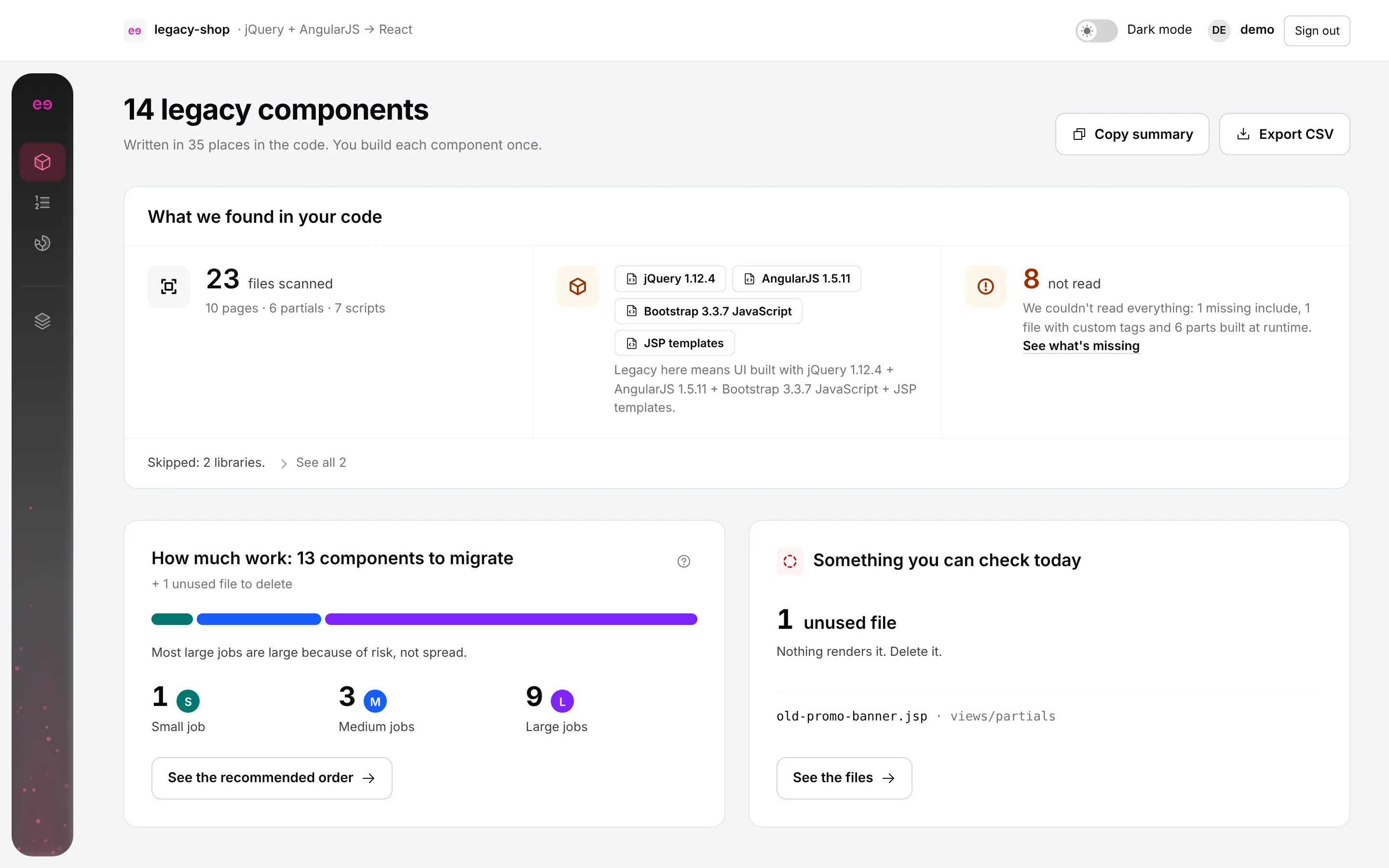
Size the job in words a manager plans with.
Every component is a small, medium or large job, sized by how much code it has and how connected it is. Risk raises the size instead of becoming another axis to read.
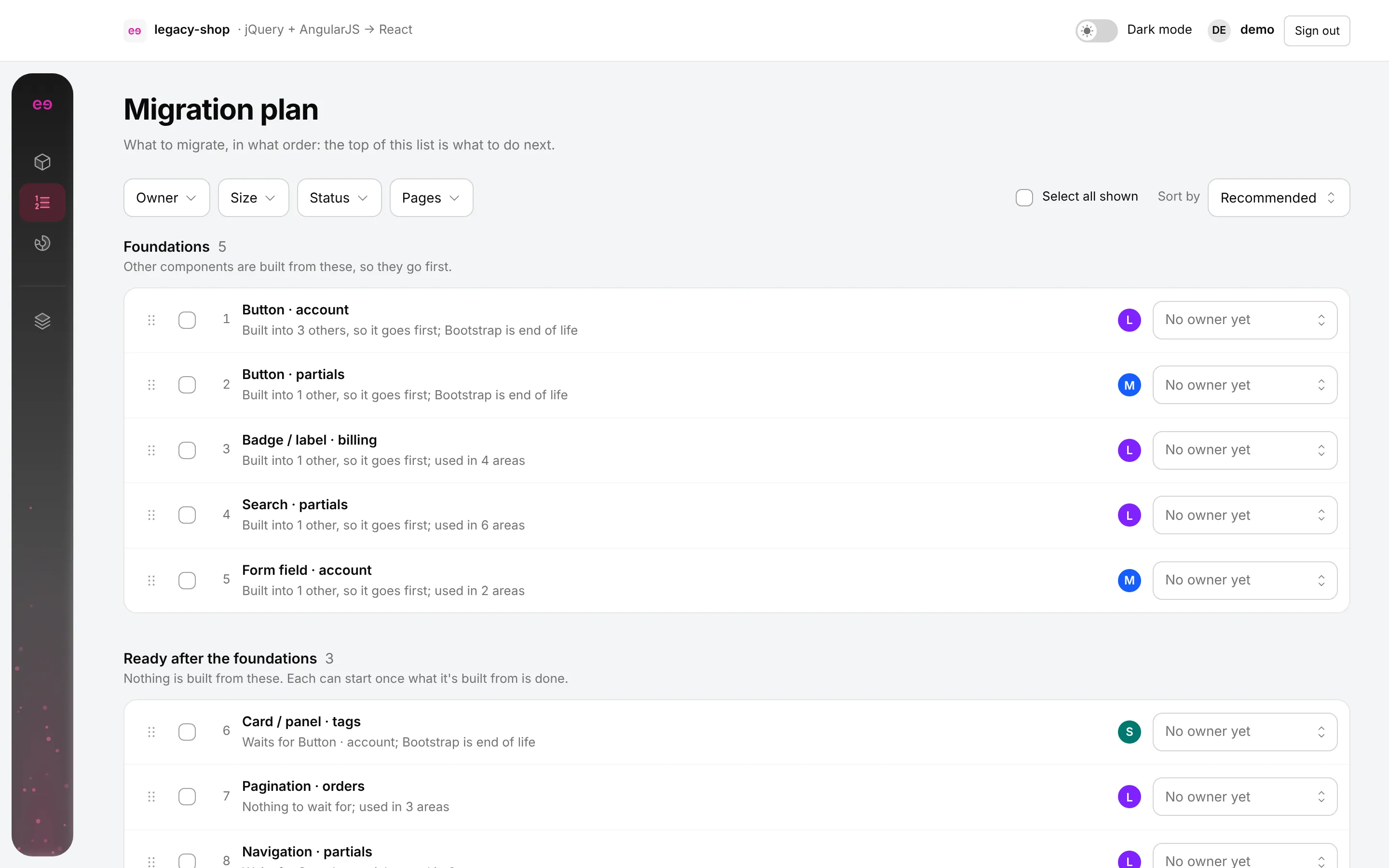
An order that never breaks a dependency.
The plan puts foundations first, then what's ready once they're built. The manager can reorder it and give each part an owner, and it never lets a component move before what it depends on.
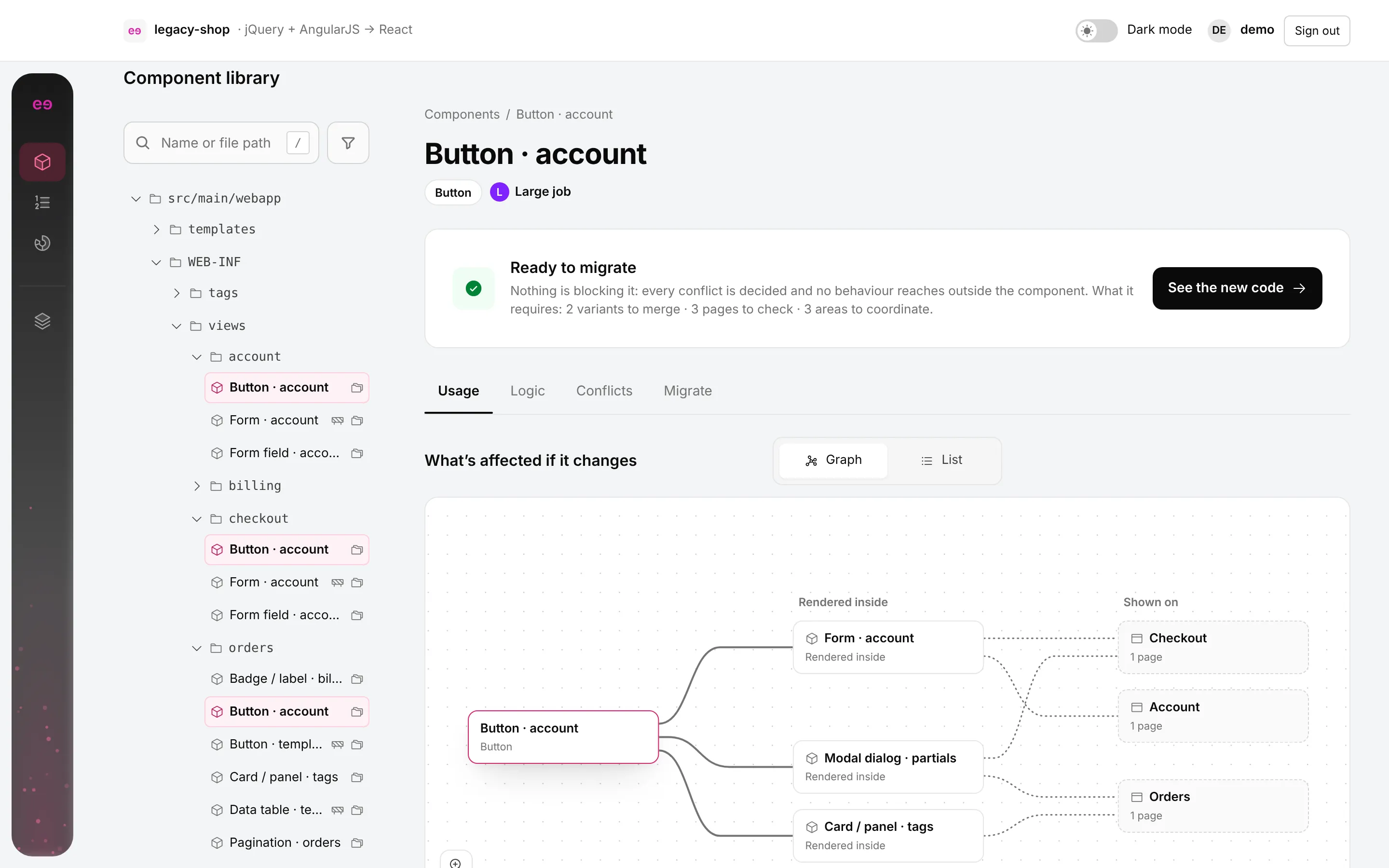
For the developer: what breaks if it changes.
Each component page opens on its impact: where it's rendered, inside which other components, and on which pages.
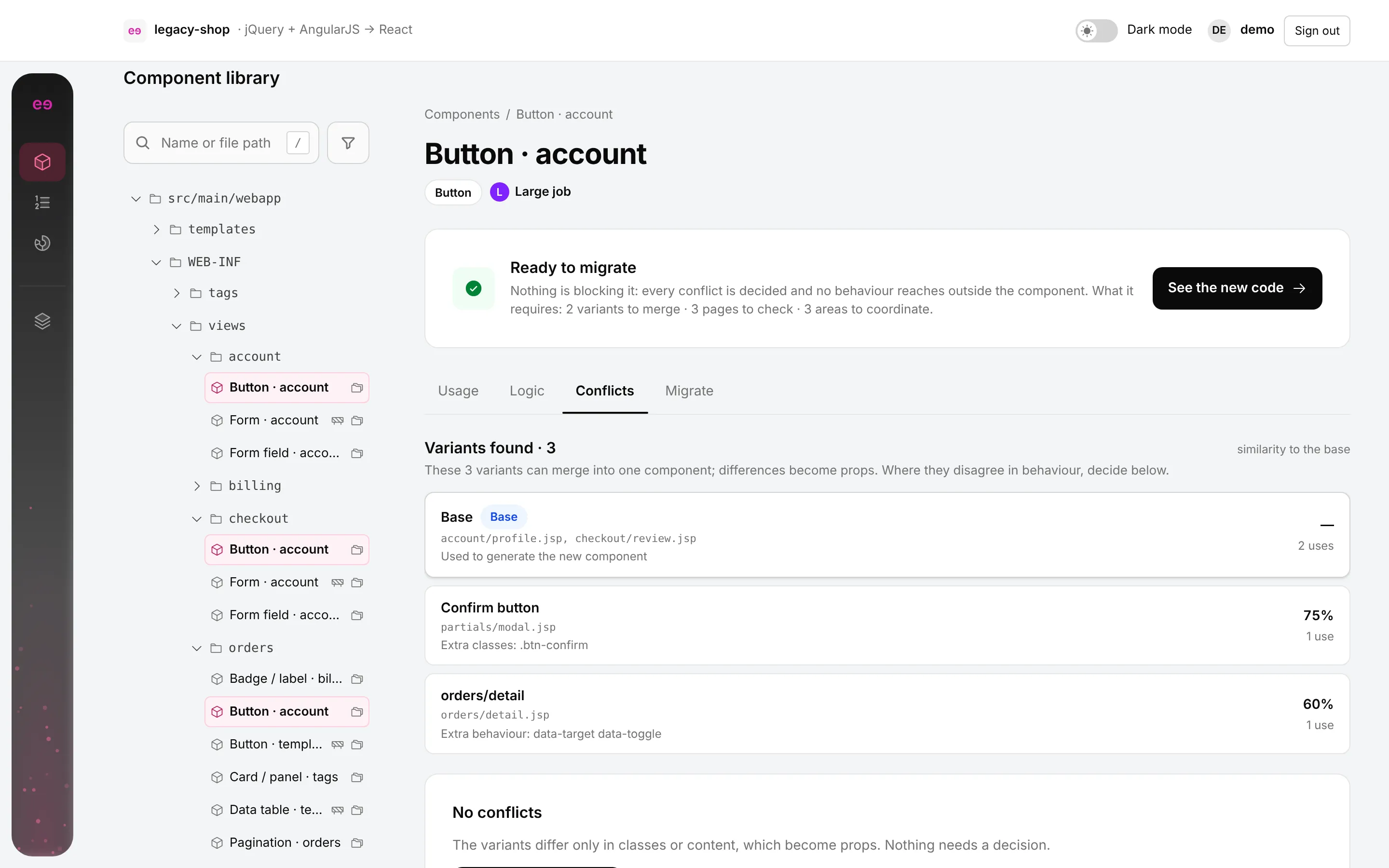
Copies that disagree get a decision, not a guess.
When copies of a component differ in behaviour, Sweechle shows how and asks. It never merges them silently.
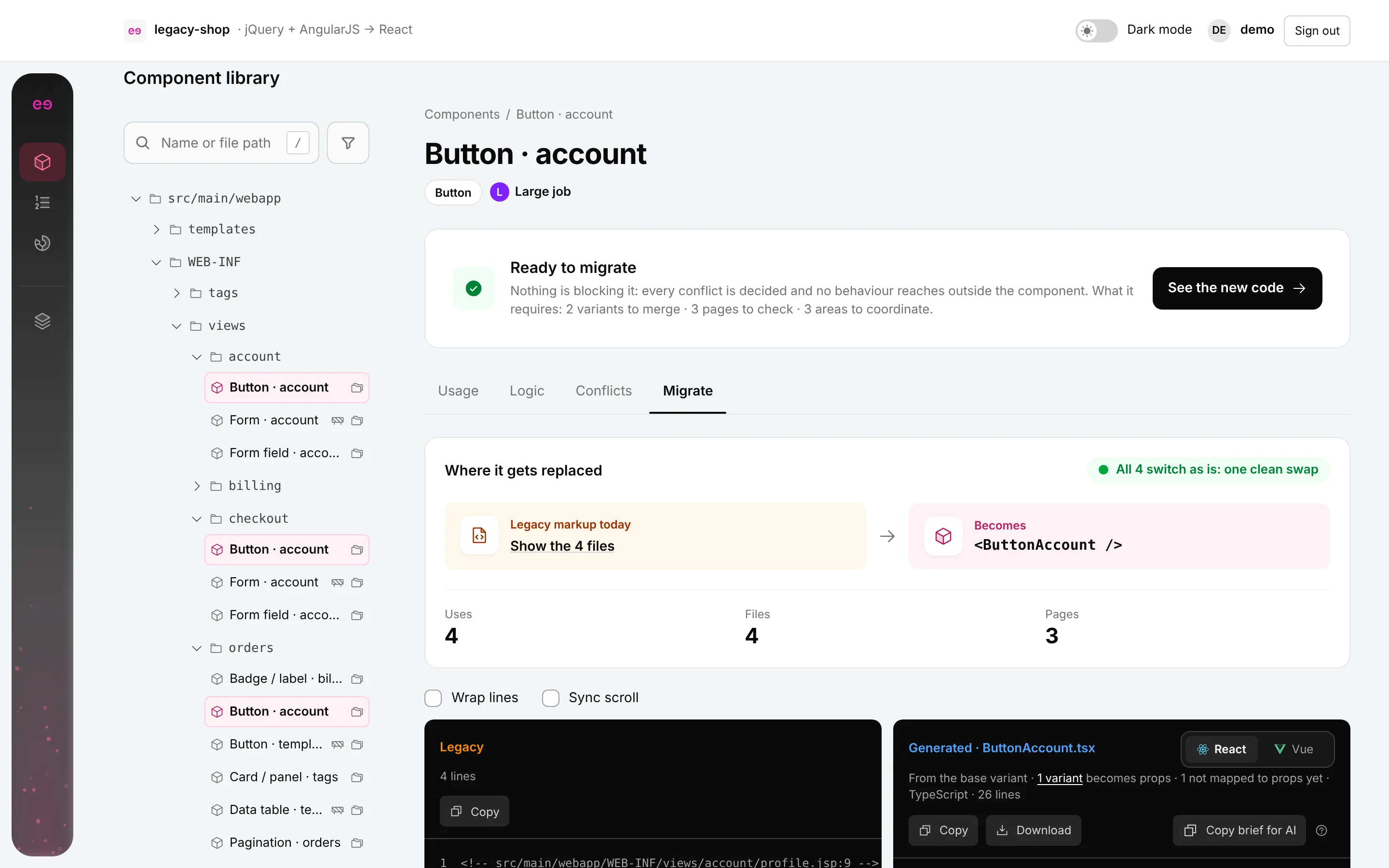
The new code, next to the old.
The legacy markup sits beside a generated React or Vue component, as a starting point the developer owns. Sweechle never writes to the repository.
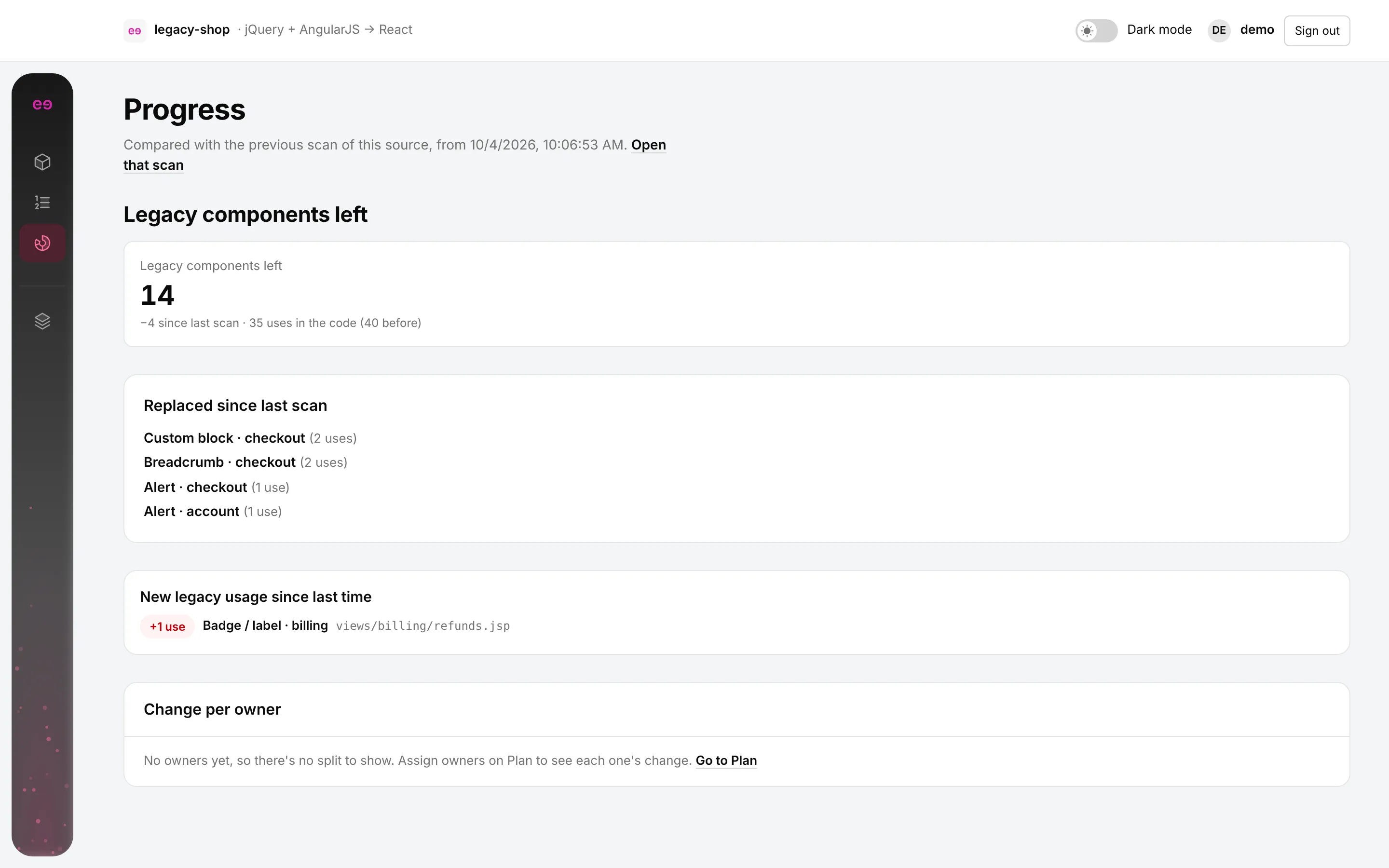
4components replaced between the two sample scans
Scan again to see what moved.
A later scan shows what was replaced, what's left, and whether anyone added new legacy code since.
Key Learning
- Most confusing screens traced back to wrong data, not wrong layout. Fixing the scanner fixed the interface.
- Trust is a feature: being read-only is the first thing a security review asks about, so it leads the pitch.
- Leaving things out is a decision. Sprint, QA and release screens stayed hidden because another tool already owns them.